Is the QuickBooks Migrator Tool Not Working? How to Fix That
You might be using the QuickBooks migrator tool to move QuickBooks files from one computer to another and run into… Read More »Is the QuickBooks Migrator Tool Not Working? How to Fix That

You might be using the QuickBooks migrator tool to move QuickBooks files from one computer to another and run into… Read More »Is the QuickBooks Migrator Tool Not Working? How to Fix That
Reconciliation discrepancies, incorrect adjustment entries or missing transactions could be the reason you wish to undo the reconciliation. This lets… Read More »How to Undo a Reconciliation in QuickBooks Online and Desktop
Various kinds of QBWin.log errors come up in QuickBooks Desktop. In this guide, we are going to tell you how… Read More »Complete Guide to Fix QBWin.log Errors in QuickBooks Desktop
Errors like QuickBooks company file in use or locked out of company file may prevent you from accessing the company… Read More »How to Fix “QuickBooks Company File in Use” Error: Complete Guide
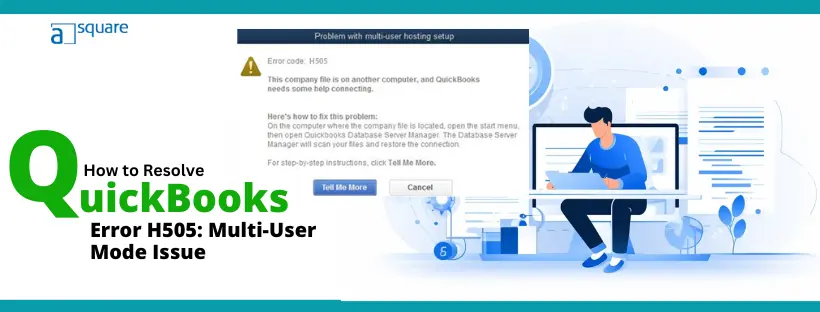
QuickBooks error H505 pops up sometimes when the user tries to switch to multi-user mode. If you came across the… Read More »QuickBooks Error H505: Easy Steps to Restore Multi-User Access

When you move QuickBooks Desktop to QuickBooks Online, you might run into errors like: “Please delete all employees already entered… Read More »How to Fix Problems Converting QuickBooks Desktop to Online
Sometimes, you might find drop down menus not working in QuickBooks or not even visible. When you click on them,… Read More »Are Drop Down Menus Not Working in QuickBooks? How to Fix

Although QuickBooks automatic updates are a good thing, we understand that sometimes you might need to turn it off. However,… Read More »If You Find No in QuickBooks Automatic Update Greyed Out

When you switch to another computer, maybe for a better processor of a newer generation, or simply wish to migrate… Read More »QuickBooks Migration Failed Unexpectedly? Let’s Fix That